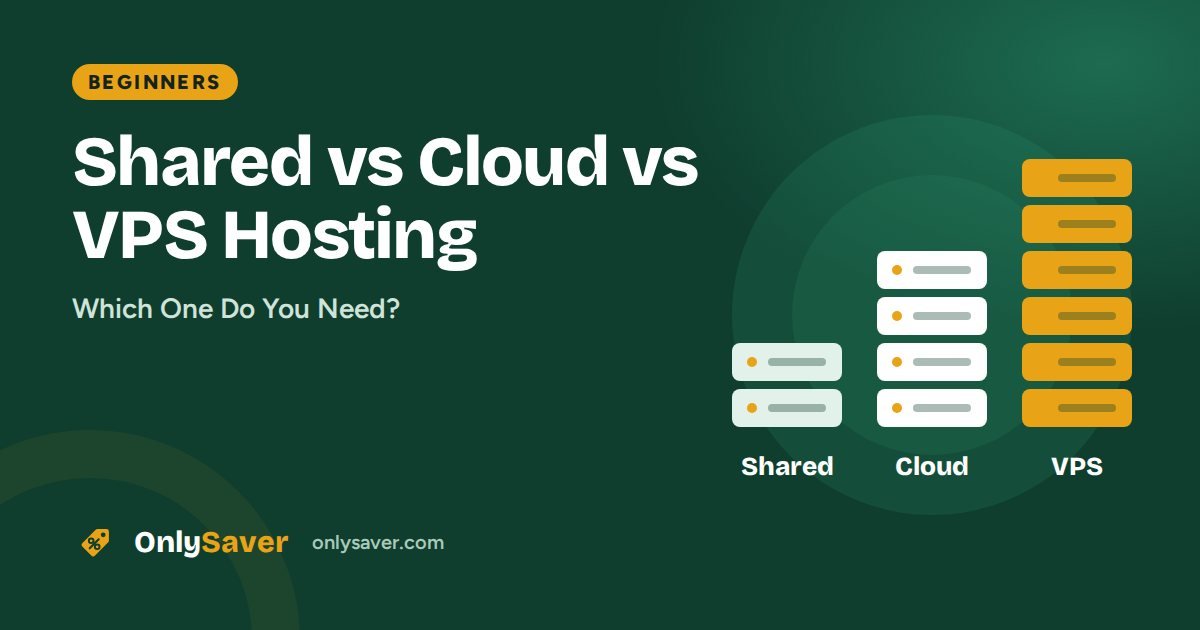
Hosting companies sell three main types of plan: shared, cloud and VPS. Pick too small and your site struggles; pick too big and you waste money every month. This guide explains each type in plain English and tells you which one fits your website.
The short answer
Shared for a new blog, portfolio or small business site. Cloud for a busy store or a site that has outgrown shared. VPS only if you need full server control for apps, bots or custom software.
Shared hosting: the apartment
With shared hosting, many websites live on the same server and share its CPU, memory and storage, like neighbours sharing an apartment building. The host manages everything for you: security, updates and the control panel.
- Pros: cheapest option, zero server management, beginner-friendly
- Cons: fixed resource limits; very busy neighbours can occasionally affect you (good hosts isolate accounts to limit this)
- Best for: new websites, blogs, portfolios and small business sites
Cloud hosting: the private floor
Cloud hosting gives your account dedicated resources on infrastructure built for reliability. You still get an easy control panel and managed security, but with much more headroom, so traffic spikes from a sale or a viral post do not slow you down.
- Pros: dedicated resources, better stability under load, still fully managed
- Cons: costs more than shared
- Best for: online stores, agencies hosting client sites, growing businesses
VPS hosting: your own house
A Virtual Private Server is your own slice of a physical server with root access. You can install any software you like, but you are also responsible for configuring and securing it.
- Pros: full control, dedicated resources, run anything (Node.js apps, bots, n8n, game servers)
- Cons: needs technical skills; you manage updates and security
- Best for: developers, custom applications, technical users
Side-by-side comparison
| Shared | Cloud | VPS | |
|---|---|---|---|
| Cost | Lowest | Medium | Medium to high |
| Resources | Shared, with limits | Dedicated | Dedicated |
| Server management | Done for you | Done for you | You do it |
| Control panel | hPanel / cPanel | hPanel / cPanel | Root access (panel optional) |
| Technical skill | None | None | Required |
| Typical use | Blogs, small sites | Stores, busy sites | Apps, custom software |
Signs you have outgrown shared hosting
- Your site slows down noticeably at busy times (a response time checker makes this easy to measure).
- hPanel shows you hitting CPU or memory limits.
- You run an online store and every minute of slowdown during a sale costs money.
- You manage many client websites from one account.
Which type fits which website?
| Website | Typical traffic | Recommended type |
|---|---|---|
| Personal blog or portfolio | Low to moderate | Shared |
| Local business (clinic, coaching, restaurant) | Low to moderate | Shared |
| Growing blog with steady search traffic | Moderate to high | Shared (Business plan) or cloud |
| WooCommerce store with regular sales | Moderate, with spikes | Cloud |
| Agency hosting many client sites | Varies | Cloud |
| Custom app, API, bot or automation | Varies | VPS |
Managed vs unmanaged VPS
A managed VPS comes with some help from the host, such as a control panel or pre-installed software. An unmanaged VPS gives you a bare server: you install the web server, database, firewall and updates yourself. If terms like SSH, firewall rules and package updates are unfamiliar, start with shared or cloud hosting instead. A badly maintained VPS is less secure and often slower than good shared hosting.
How upgrading works on Hostinger
- Open hPanel and go to your hosting plan.
- Choose the upgrade option and pick the new plan (for example Business or Cloud).
- Pay the difference for the remaining term.
- Your website moves with you; within the same type of web hosting there is usually no rebuild needed.
Moving to a VPS is different: a VPS is a separate server, so you set it up and copy your site across.
Common myths
- "Shared hosting is always slow." A well-configured shared plan with caching and a nearby data center is very fast for most sites; a performance health score will tell you where you stand.
- "A VPS is automatically faster." Only if it is configured well. An unoptimised VPS can be slower than managed hosting.
- "I need cloud hosting from day one." Most new sites do not. Start small and upgrade when the numbers tell you to.
- "Unlimited means unlimited." Every plan has fair-use limits on CPU and memory, even when storage or bandwidth is advertised generously.
Cost over time
Shared hosting is the cheapest per month, cloud hosting costs several times more, and a VPS varies widely depending on resources and whether it is managed. Remember the hidden cost of a VPS: your time. Updates, security patches and troubleshooting are your job. For most businesses, paying a little more for managed cloud hosting is cheaper than the hours spent maintaining a server.
Questions to decide in two minutes
- Is this your first website? Choose shared hosting.
- Does your site slow down at busy times even with caching? Consider cloud hosting.
- Are you running an online store with regular sales? Cloud hosting gives peace of mind.
- Do you need to install custom software or run background processes? Choose a VPS.
- Are you comfortable managing a Linux server? If not, avoid an unmanaged VPS.
Our recommendation
Start on shared hosting (Hostinger Premium or Business) unless you already know you need more. Upgrading to cloud later takes a few clicks, so there is no reason to overpay on day one. Not sure which plan? Try the Plan Finder.