People building their first website often mix up the domain and the hosting. They are different things, but every website needs both.
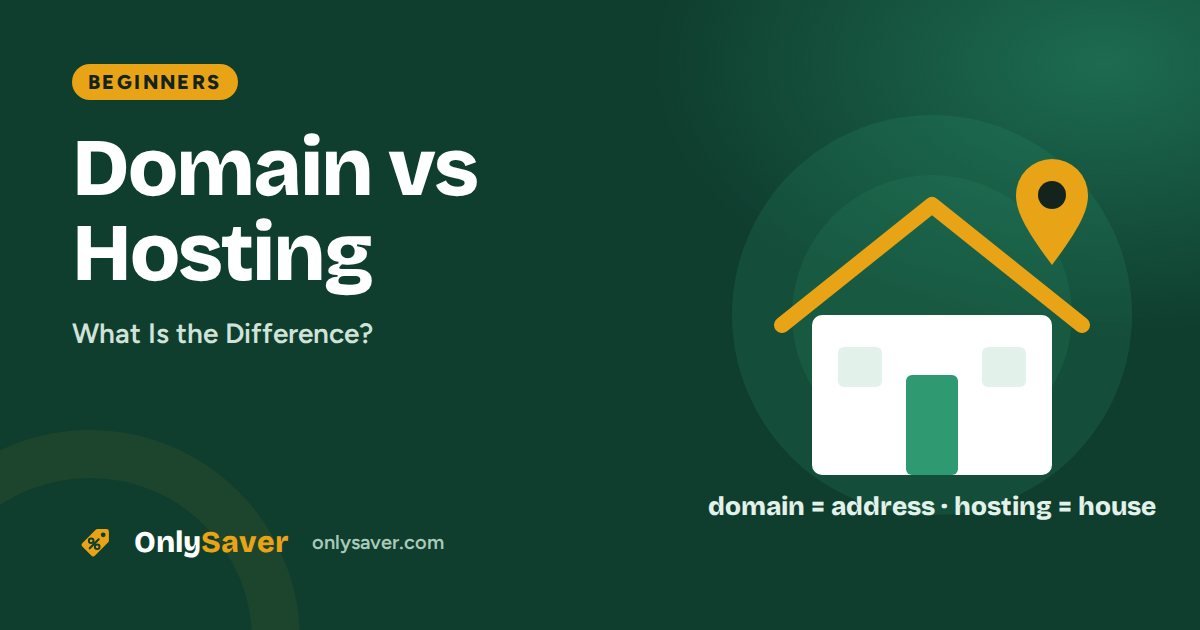
The difference in one line
- Domain = your website's name and address (e.g.
onlysaver.com) - Hosting = the place (server) where your website's files are stored
The house example
Your domain is your home's address. Your hosting is the house itself. Without an address nobody can find the house, and an address without a house leads nowhere.
| Domain | Hosting | |
|---|---|---|
| What it is | Your website's name | Space for your website's files |
| Example | onlysaver.com | Hostinger Premium plan |
| Renewal | Every year (or chosen term) | When the plan term ends |
| Without it | People cannot find your site | Your site does not load at all |
Should you buy both from the same company?
You do not have to, but for beginners it is easier. You avoid DNS settings, and everything sits in one dashboard. Eligible Hostinger plans also include the domain free for the first year.
What if your domain is somewhere else?
- Find your Hostinger nameservers in hPanel (for example
ns1.dns-parking.comandns2.dns-parking.com; hPanel shows the exact ones for your account). - At your domain registrar (for example GoDaddy), open the domain settings and replace the nameservers with Hostinger's.
- DNS changes can take a few hours (occasionally up to 24–48 hours) to spread worldwide.
You can watch the change spread with a DNS propagation checker. For a plain-English overview of A, CNAME, MX and TXT records, see this guide to DNS records explained.
How a website loads: domain and hosting working together
Every time someone opens your website, the domain and the hosting play different roles in a few milliseconds:
- The visitor types your domain (for example
yourshop.in) into the browser. - DNS looks up the address. The Domain Name System works like a phone book. It finds the records your domain's nameservers publish and returns the IP address of your hosting server. You can see this yourself with a DNS lookup.
- The browser contacts your hosting server at that IP address and asks for the page.
- The server sends back the files (HTML, images, CSS) and, for WordPress, runs PHP and the database to build the page.
- The page appears. If the server is close to the visitor and well configured, this all happens in well under a second.
So the domain decides where visitors are sent, and the hosting decides what they see and how fast it loads. A problem in either one breaks the site, which is why it helps to understand both.
What you actually pay for
| Domain | Hosting | |
|---|---|---|
| Billing | Yearly (you can prepay several years) | Monthly or yearly term, cheaper on longer terms |
| Main cost driver | The extension (.com, .in, .io, etc.) | Resources: storage, CPU, memory, number of sites |
| Renewal | Usually close to the first-year price, sometimes higher | Usually higher than the introductory price |
| Can you move it? | Yes, transfer to another registrar | Yes, migrate files and database to another host |
| Free offers | Often free for year one with hosting | Free SSL is common; free trials are rare |
Pointing a domain vs transferring it
If your domain is registered somewhere else, you have two options:
- Point it (change nameservers or DNS records). The domain stays with its current registrar and you keep renewing it there. This is quick and works for most people.
- Transfer it. The registration moves to your new provider, so domain and hosting are managed in one account. Transfers usually require an unlock and an authorisation (EPP) code from the old registrar, and they normally add a year to the registration.
There is no SEO difference between the two. Choose whichever keeps your renewals simplest.
Common beginner mistakes
- Letting the domain expire. The site goes offline and the name can be lost. Keep auto-renew on, use an email address you check, and note the date from a domain expiry checker.
- Registering the domain in a developer's or agency's name. Always make sure you are the registered owner.
- Buying hosting and domain from two companies without knowing how to connect them. If you are new, buy both together.
- Changing nameservers and expecting instant results. DNS changes take time to spread, sometimes up to 48 hours.
- Forgetting email. Email for your domain depends on DNS (MX records) too. Changing nameservers without recreating email records can stop mail from arriving.
Quick checklist before you buy
- Is the domain short, easy to spell and free of hyphens?
- Does the hosting plan include free SSL and, ideally, a free domain for the first year?
- Is there a server location near your visitors (India for an Indian audience)?
- Do you know the renewal prices for both the domain and the hosting?
- Will you need email on your domain? Check the plan includes mailboxes.
What about email?
Email on your domain (like you@yourbusiness.com) is a third piece that people often forget. It depends on your domain's DNS (MX records) and usually runs on your hosting plan or a separate email service. If you move your domain or hosting, make sure the email records move too, or messages will stop arriving. Our guide to creating a business email explains the setup.
Example: setting up a shop website
Imagine Priya wants a website for her bakery. Here is how domain and hosting come together:
- She buys a Hostinger Premium plan for 24 months and claims
priyabakes.inas her free domain. - The domain automatically points to her hosting, and SSL is issued for it.
- She installs WordPress, picks a free theme and adds her menu, photos and contact details.
- She creates
orders@priyabakes.infor customer orders. - A year later, she renews the domain and keeps the hosting until the end of its term.
Two separate products, one simple setup. To follow the same path, read how to build a WordPress website on Hostinger.
What next?
Now that the difference is clear, read how to get a free domain with Hostinger and how to build a WordPress website.